
Like a lot of people, for my homelab, I use a reverse proxy in combination with an authentication server. For me, that is Traefik and was Authentik. As my homelab grew, and prices of hardware are what they are at this moment, I needed to look at what was resource-hungry and where I could save. Authentik used a lot. Sometimes it peaked at almost 2GB, sometimes it was as low as 1,1GB, but most of the time it used just shy of 1,5Gb.
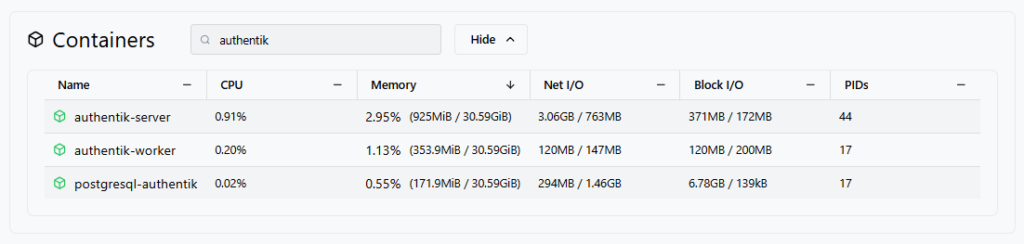
It is an enterprise-grade system, and the minimal system requirements are 2GB of memory and 2 CPUs, so this seems reasonable, but still, for my homelab with very few users, it is a lot. I probably will never use more than 2% of Authentik’s functionality, and I also don’t really like the interface. Also, Authentik was constantly introducing breaking changes, which needed manual migrations. Don’t get me wrong, it works great and if it fits your needs, great. But it no longer did mine. So time for something new!
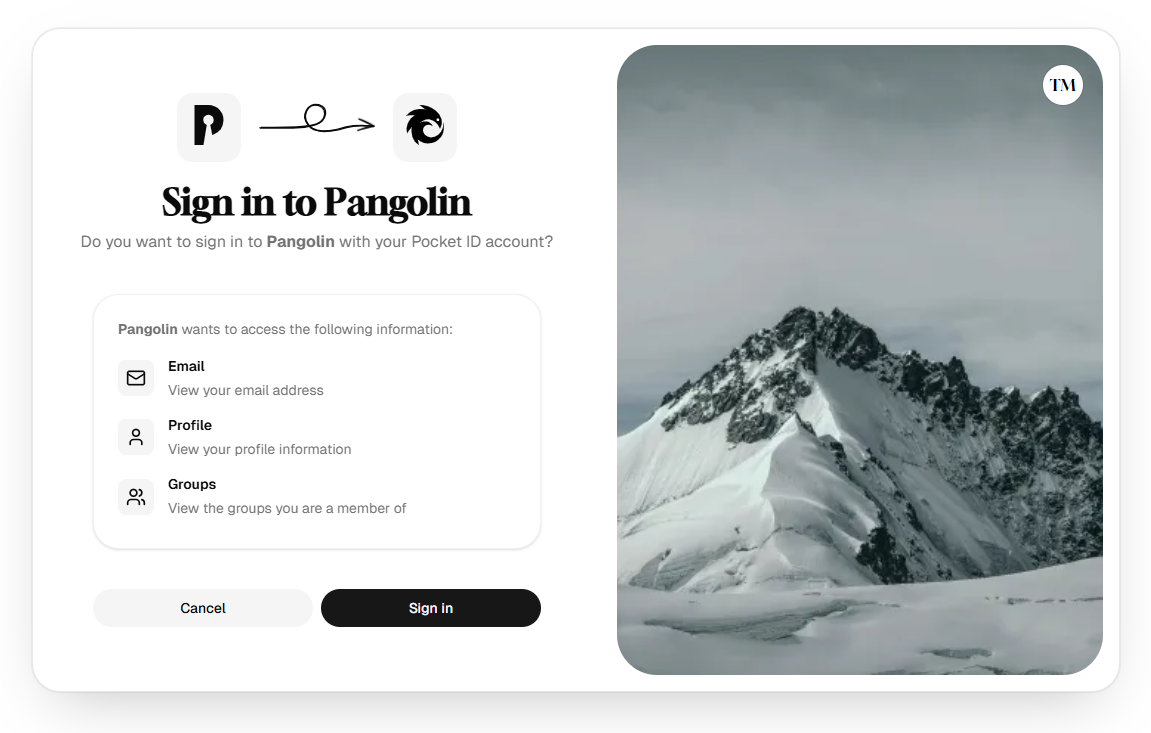
I kept coming across Pocket-ID, which should be simple, easy to use, and only offer passkey login. Great! No more usernames, passwords, 2FA apps. Let’s dive in!
Installation
Installation was pretty straightforward; Pocket-ID is well documented and has a simple installation guide.
Configuring clients
Configuring clients is quite easy, and as I said, Pocket-ID is well documented, so there are a lot of examples available. If you encounter a not listed client, the procedure to add a new one is quite easy; just fork the repo, add your new client example and create a pull request. Most of the time, the example is pushed to the official website within a day.
For me, coming from Authentik, it was mostly as easy as updating the URL, client ID, and client secret in the client, and everything worked just as before.
Protecting services that do not have native OIDC support
As I mentioned before, the documentation on Pocket-ID is extensive! They have a great article on how to do just this with the most-used reverse proxies: Authentication proxies.
I use Traefik, so I landed on a plugin from Seven Solutions. I edited my traefik.yml file and added the plugin configuration. After saving, restart Traefik.
# /etc/traefik/traefik.yml
experimental:
  plugins:
    traefik-oidc-auth:
      moduleName: github.com/sevensolutions/traefik-oidc-auth
      version: v0.21.0
As for the protection of apps, you can just create one client in Pocket ID, add one dynamic configuration file, and attach that to each service that needs protection, but I would strongly suggest not to do that. The most secure way is to add a client in Pocket-ID and one dynamic configuration file per application and attach that to just the one service. It’s a lot of work, but yeah, it’s a hobby, right, so time is irrelevant?
So, here we go: the configuration file for the client. Make one for each service you want to protect.
# /etc/traefik/dynamic/10-middlewares-oidc-auth-whoami.yml
http:
  middlewares:
    oidc-auth-whoami: # this is your identifier. Free to choose
      plugin:
        traefik-oidc-auth: # The name of the plugin
          Secret: "12345678901234567890123456789012" # Random 32 chars
          Provider:
            Url: "https://id.mydomain.nl" # Pocket-ID URL
            ClientId: "00000000-0000-0000-0000-00000000000"
            ClientSecret: "xxxxxXXxxxXXXX111111"
            UsePkce: true
          TokenValidation: "IdToken"
          Scopes: ["openid", "profile", "email", "groups"]
          Authorization:
            AssertClaims:
              - Name: groups
                AnyOf: ["whoami", "whoami-admin"]
Due to this being in the dynamic folder, Traefik is already aware and has loaded this configuration. So now it’s time for the last step before testing: updating our Docker labels so it will use the right OIDC client.
What did all that work give us?
I tried to stress it, but the total load never went above 75 MB. That is really great, and I absolutely love my new setup. It’s lean, in active development, and keeps getting better, but most of all, it’s very easy to use.

I have merged most of my services to OIDC, and the ones that do not support it natively are protected by the before mentioned Traefik plugin.
What’s next?
For now, I only use the clients. But as updates introduce new features, we can now protect API’s and MCP servers with Pocket-ID. When it comes to enabling these publicly, like when I ever want to use Claude Code, that’s a nice new rabbit hole to go down.


